


Top AI Tools for Creatives & Graphics: From text-to-video marvels to workflow automation: the tools redefining video-first content.
I spent 48 hours breaking every video-AI tool I could find — and here are the list of top 10 AI video generators.
Why Video-AI Is Your Next Creative Game-changer?
Short-form video dominates social, ads and e-commerce. In 2025, AI tools are no longer just helpers — they’re core creators. Want to turn a script into a high-quality video with voice, effects and motion in minutes? It’s happening. According to comparison data, text-to-video tools are moving from “nice to have” to “must-use”.
If you’re still editing video manually, you’re leaving time, money and creative impact on the table.
Top 10 AI Video Generators in 2025-2026
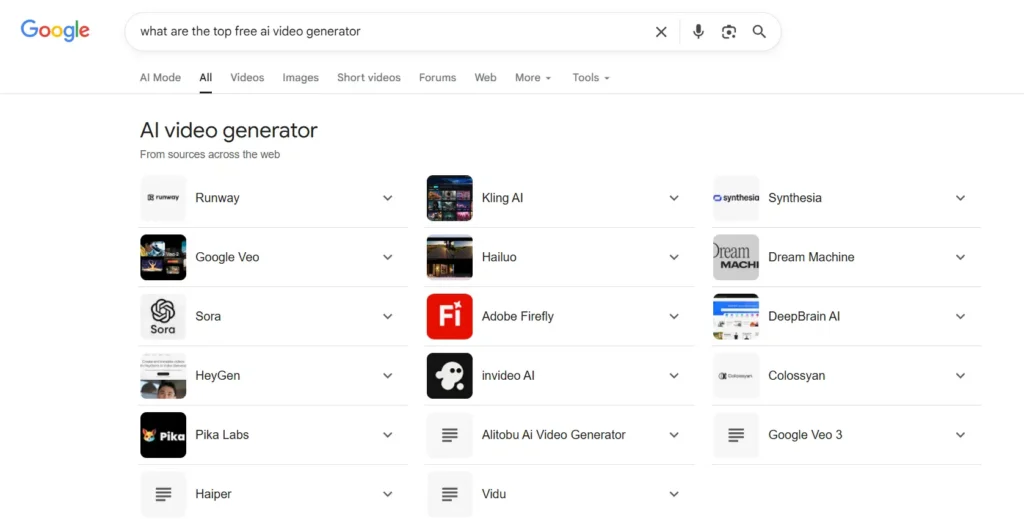
Features & Pricing Breakdown
Here’s a comparison table to help creatives identify the right video-AI tool for their workflow.
| # | Tool | Best For | Key Features | Free Tier & Starting Price* |
| 1 | Google Veo 3 | Ultra-realistic clips with audio | Text-to-video + built-in soundtracks + cinematic output | Limited free features to pay-as-you-go pricing plans. |
| 2 | Runway ML | High-end creative motion and editing | Text-to-video, image-to-video, motion capture, reference frames | Free plan includes 125 credits; paid plans start at $12. |
| 3 | Synthesia | Avatar & script-based videos for corporate/training | 125+ avatars, voice-overs, multilingual support | Free plan available with limited features. Starter ~$18/month |
| 4 | InVideo AI | Marketing & social-friendly video generation | Text-to-video, voice-overs, templates | All plans are paid, starting from ~$28/month |
| 5 | HeyGen | Creator-friendly, avatar + text-video workflows | Upload scripts / audio → video with avatars across languages | Free plan exists; advanced plans start from $29/month |
| 6 | Kling AI | Realistic fast-turnaround video generation | Start/end image inputs, stylized motion effects | Free credits at signup, but no features are available for new users with free plan now.; premium plans start from $6.99/month |
| 7 | Hedra | Talking & singing character videos.Lip Sync. | Text + image input → expressive avatar videos with lip sync | Free plan (300 credits/month) then from ~$8-10/month. |
| 8 | Sora Open AI | High-fidelity text-to-video, scene motion | Up to ~60 seconds, realistic motion and quality. | Access via ChatGPT Pro / wait-list; some free clips via Bing. |
| 9 | Midjourney | Image-to-video creative clips | Converts stills into short animated video. | Subscription plans start from $10/month. |
| 10 | Dream Machine AI by Luma Labs | Create images or videos with a simple idea. | Create an image/ video from an idea/prompt or a video animation keyframe with Ray3 | Limited free features. Subscription plans start from $9.99 ~ $13.99/month. |
*Pricing & free tier data approximate and may vary based on region/time.
Interesting Facts & Trends
- Free tiers are shrinking: Many video-AI tools now offer minimal free credits with watermarks — full commercial use often requires paid plans.
- Motion and audio are now part of video-AI: Many earlier tools were image-to-video without sound; 2025 tools like Veo 3 add full audio tracks natively.
- Workflow automation is becoming the secret sauce: Creatives are linking tools like InVideo, Runway, and automation platforms (covered in upcoming parts) to generate on-demand videos at scale.
- Regional relevance (e.g., UAE/MENA): Local cultures and bilingual assets matter. Make sure your prompt & video output supports Arabic/English, regional formats, and local marketing channels.
How to Build a Video-AI Creative Workflow
- Start with the script or prompt: Write your message, choose language(s), determine format (e.g., Instagram Reels, LinkedIn video).
- Select the right tool: Use InVideo or HeyGen for fast social videos; use Runway or Veo 3 for high-impact cinematic output.
- Generate and refine: Use text-to-video prompt → adjust edits (timing, voice, brand colors).
- Localize and brand: Add Arabic subtitles or voice-over, ensure design is culturally relevant for UAE/MENA markets.
- Automate publishing: (We’ll cover this in Part 4) Trigger video generation, auto-publish to social + WhatsApp + e-mail.
- Analyse performance: Track completion rates, engagement, conversions — optimize prompt and tool selection for future videos.
FAQs – You Might Want to Know
Many offer free tiers or trial credits, but fully free unlimited usage with commercial rights is rare.
Yes. Tools like Synthesia, HeyGen and InVideo support multiple languages and voice-overs. Always check that Arabic script, voice and layout render correctly.
It depends on your subscription plan, video length, complexity and tool. Many high-end tools generate a 10-second clip in minutes; longer videos or full motion sequences take more time.
Not entirely. AI accelerates production and reduces cost, but human oversight for brand voice, storytelling, quality and cultural nuance remains crucial.
Length constraints, motion artifacts (especially with complex movements), and free tier watermarks are still common.
Final Takeaway
If Part 1 showed you how AI revolutionized still visuals, then Part 2 proves that video is next. Whether you’re creating marketing reels for the UAE, explainer videos or social ads, the right AI video tool can slash production time and multiply creative output.
In the next instalment (Part 3), we’ll explore AI Voiceover and Voice Generators 2025-2026.
And in the final part (Part 4), you’ll get to know about end-to-end automation workflows using tools like n8n and how to link your video generation into scalable publishing, insights and optimization systems. Stay ahead of the curve — content creation just got faster.
Spending hours to test AI Video generators and Lip Sync AI creators, this is one of the short video by HayGen AI. I need your feedback on this video generation. What is your favorite AI tool? Write me in a comment section. I am using free AI video generators or their free versions right now.



Excellent article! For those interested in AI video creation, https://freevideogenerator.io/ is an excellent free AI video generator – creates professional videos from text prompts with no watermarks and no sign-up required.
[…] video, Opus Clip and Runway ML lead the 2025-2026 landscape for editing, clipping, and effects. These tools still depend on strong source material, which often […]
Excellent resource for creatives! Really appreciate the in-depth breakdown. One I’d add to the AI video generator section: HappyHorse AI Video (happyhorse-ai.video). It supports text-to-video and image-to-video with cinematic output quality, starts free, and is ideal for graphic designers and content creators looking for flexible video generation without heavy pricing. Worth considering for a follow-up!